Getting Started with Webjets

Webjets is a paradigm-shifting web application for information management
designed for digital artists, managers, researchers and social media professionals.

Important notes

Currently we officially support only Google Chrome and Safari (to be fixed in beta).
We strongly recommend to change password after your first login.
There is an automatic backup of all data performed daily at 3:33 AM (Moscow TZ).

Basics

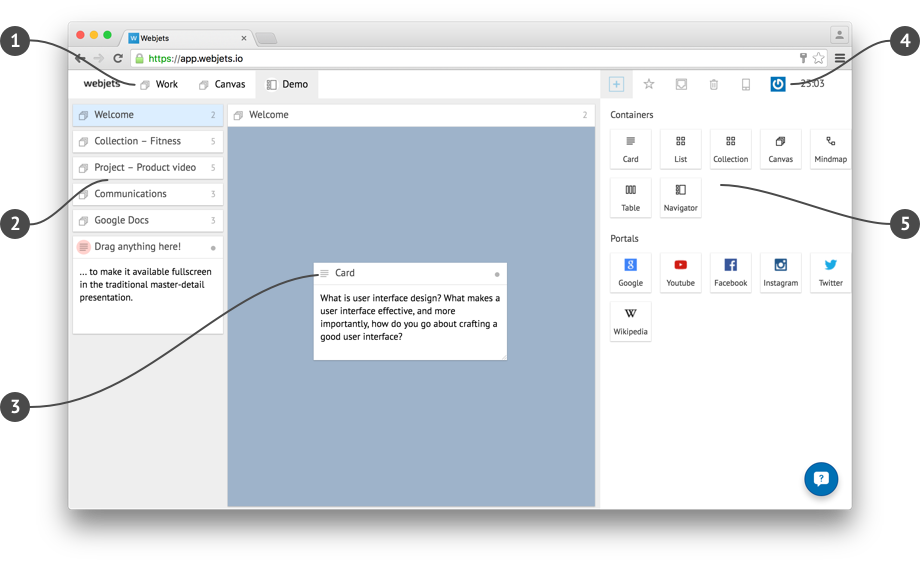
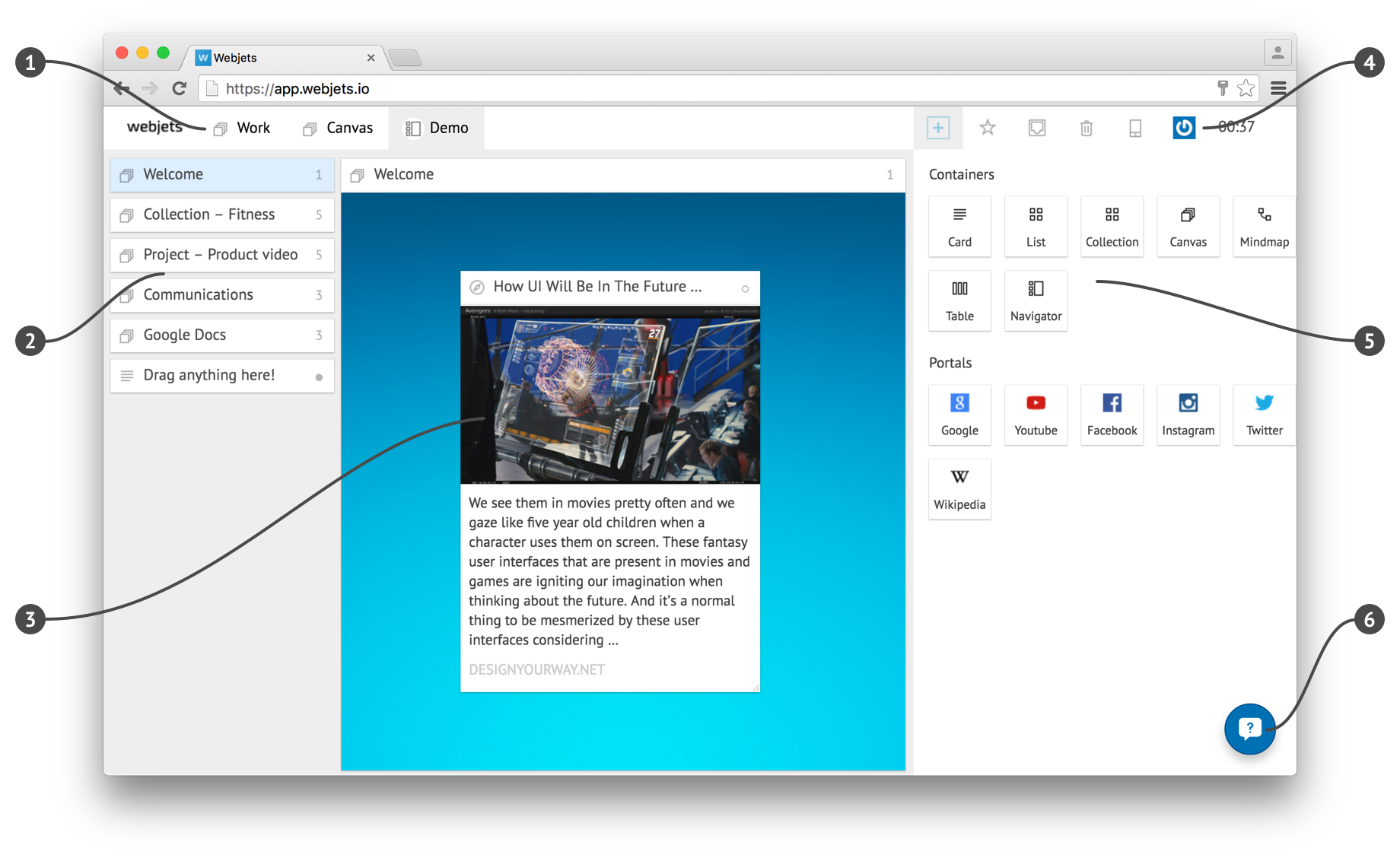
  1. 1. Desktop Tabs
    Switch between your information spaces. Drag anything to the tab area to focus on it in full-screen.
  2. 2. Navigator
    Structure and navigate through your knowledge in the context of specific projects or areas of life.
  3. 3. Card on Canvas
    The Canvas is a free space to organize your content cards Every card has a menu – just click on the icon on top left.
  1. 4. Dropdowns
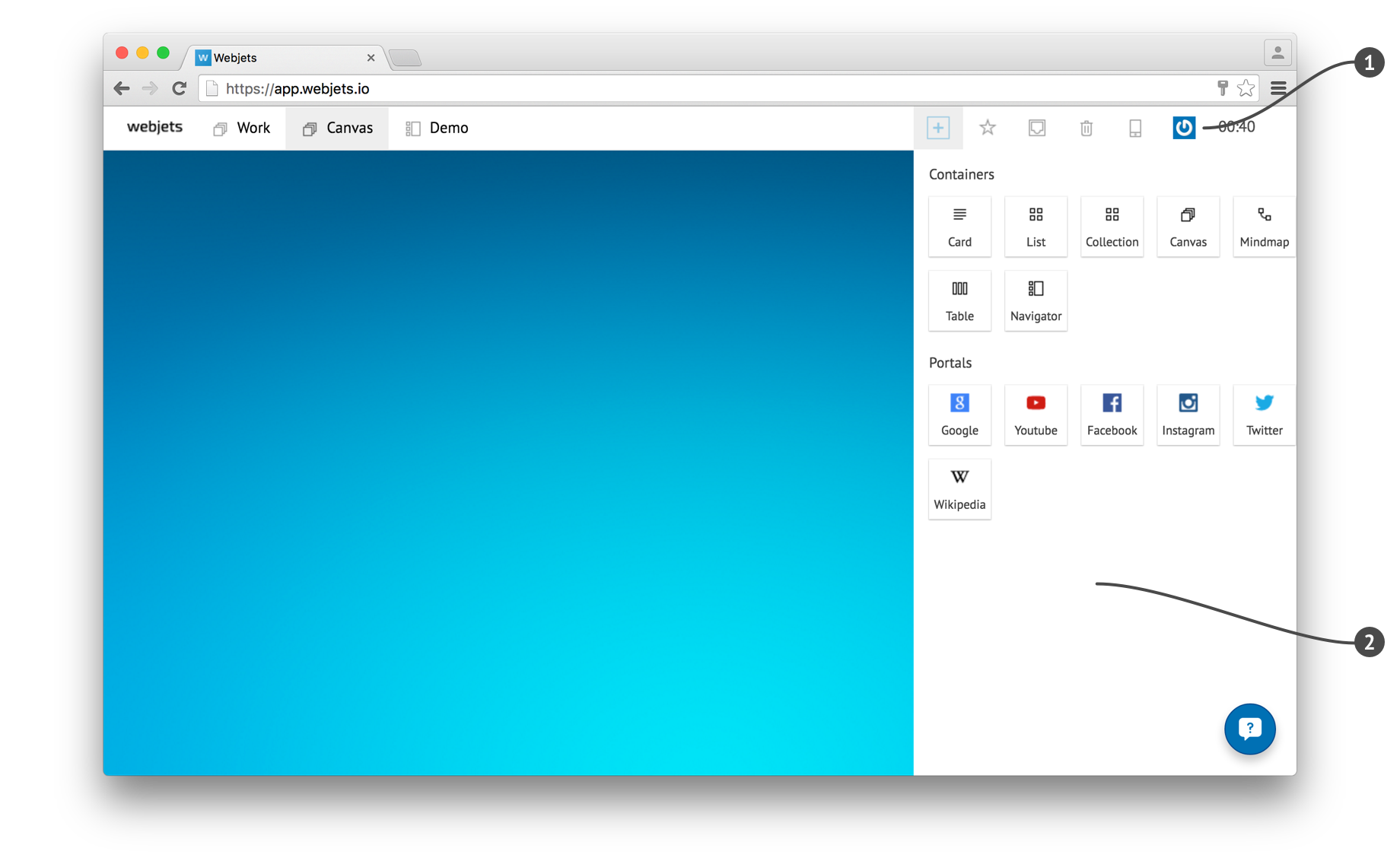
    Create new containers, save favorites, receive information from teammates and update your profile.
  2. 5. Creator
    Create containers to find the best presentation fitting your content. Combine containers to visualize complex structures. Create portals to browse selected services directly from Webjets.
  3. 6. Feedback
    There goes info about Customer feedback.

With Webjets you can...

Collect content and ideas

Just drag&drop or copy+paste any web links, and they become cards in Webjets.

Or create empty cards using the Creator and write any ideas, tasks, goals, thoughts, or memories.

Organize using different containers

Create containers by dragging them from the Creator onto some canvas.

Put containers into other containers to organize flexible structures fitting your needs.

Share with team-mates

To share any container with a team-member:

1. Open container's menu and choose Share.
2. Provide the email of another Webjets user.

A new card appears in that user's Inbox.
About services (YouTube, Facebook, Twitter, etc)

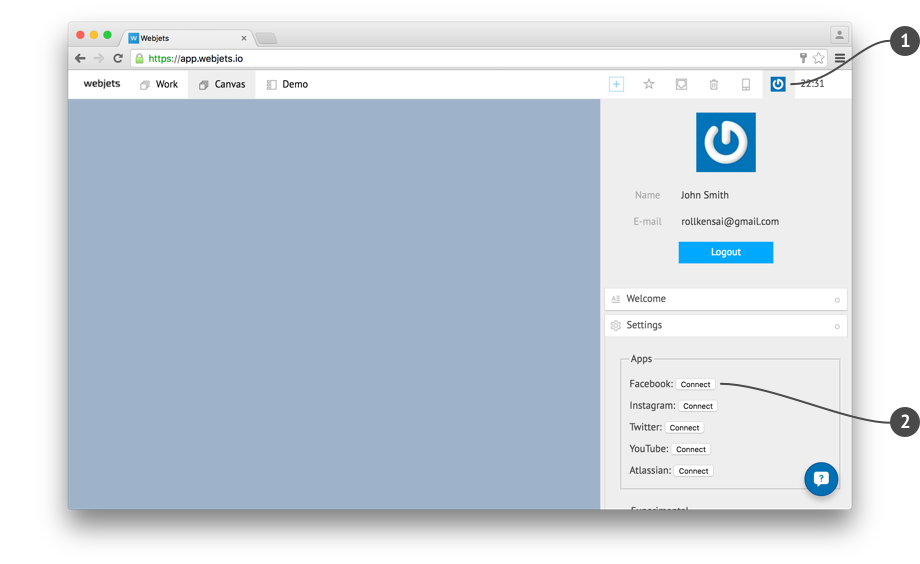
  • To connect different services such as YouTube, Facebook etc, you've to click your profile on the upper-right corner (1), select "settings" and click "connect" at the services (2). Then a popup will ask you to authorize that service.
  • For Facebook connectivity we require to know your Facebook username, in order to setup the Facebook app correctly (to be improved in the future).
  • There is a known bug with service authentication on Facebook and Instagram. Reloading of the page may be required, if the service doesn't start working after authentication.
  • There are other features like JIRA and Confluence integration which are not realized via portals, but with copy+paste of such service links. For more information please get in touch with your favorite Webjets contact person ;-)

Начало работы в Webjets

Основы

  1. Desktop Tabs
    Switch between your information spaces. Drag anything to the tab area to focus on it in full-screen.
  2. Navigator
    Structure and navigate through your knowledge in the context of specific projects or areas of life.
  3. Card on Canvas
    The Canvas is a free space to organize your content cards Every card has a menu – just click on the icon on top left.
  4. Dropdowns
    Create new containers, save favorites, receive information from teammates and update your profile.
  5. Creator
    Create containers to find the best presentation fitting your content.Combine containers to visualize complex structures.Create portals to browse selected services directly from Webjets.

О сервисах (YouTube, Facebook, Twitter и т.п.)

  • To connect different services such as YouTube, Facebook etc, you've to click your profile on the upper-right corner (1), select "settings" and click "connect" at the services (2). Then a popup will ask you to authorize that service. For Facebook connectivity we require to know your Facebook username, in order to setup the Facebook app correctly (to be improved in the future)
  • Therefore Popup Blocking should be turned off for https://app.webjets.io, otherwise service authentication won't work (to be fixed in beta).
  • There is a known bug with service authentication on Facebook and Instagram. Reloading of the page may be required, if the service doesn't start working after authentication.
  • There are other features like JIRA and Confluence integration which are not realized via portals, but with copy+paste of such service links. For more information please get in touch with your favorite Webjets contact person ;-)

Важные замечания

  • Currently we officially support only Google Chrome and Safari (to be fixed in beta).
  • We strongly recommend to change password after your first login.
  • There is an automatic backup of all data performed daily at 3:33 AM (Moscow TZ).